
1. Motivation
I wanted to build something that works the moment you install it. No registration screen. No "add a friend first." No phone number needed. You open it, and it is just there, ready.
The itch started at home. I am downstairs. My wife is upstairs. I want to ask her a quick question or show her something on my screen. The obvious answer is texting, but texting has more friction than people admit:
- My phone might not be within reach. I am usually sitting at my desk.
- Sometimes I want to share a file directly, not just words. For example, I am filing taxes and I need a second pair of eyes on a specific field. A screenshot is too cumbersome. I just want to drop the file and get a quick reply.
- I do not want certain files leaving the house. Tax documents, personal photos, internal notes. Sending these over WhatsApp, email, or any other cloud messaging app means the data travels through someone else's servers. Even briefly, I am not comfortable with that.
I do have a home NAS, but that workflow is awkward. You drop a file in a network folder, then somehow notify the other person, then wait. There is no conversation layer on top of it. No quick back-and-forth.
So that is the gap NoCloud Chat is trying to fill: a chat tool that works entirely on your local network, with zero setup, zero accounts, and zero data leaving your router.

2. How Do I Build It?
Once I had the core idea clear, I decided to try something different. I went full vibe coding on a tech stack I barely know. The full source is open on GitHub at github.com/sowenzhang/Nocloud.
For this project I used Claude CLI running in team mode. If you want to know what team mode is and how to enable it, the official documentation covers it well. It is off by default, but enabling it is just a config change.
I created six teams: PM, Tech Lead, Design, Dev, SRM, and Network Security Expert. Each had its own system prompt and set of responsibilities. Then I handed the entire project over with one instruction: notify me when it is ready to demo.
Honest take: The first demo was genuinely impressive. But there were a lot of bugs. We went through multiple demo-and-fix cycles. YOLO mode does not handle UX polish on its own, especially responsiveness and interaction design. Once I gave clear and specific feedback though, the agents understood exactly what to address.
3. Challenges
Building a website with AI is something I have done before. I know what questions to ask and what to watch out for. Building a cross-platform app that runs on Windows, Android, Linux, and Mac is a completely different challenge. I do not fully understand what instructions belong in the spec for platform-level concerns. On top of that, I do not even own a Linux or Mac machine to test on.
I consulted other AIs, mostly ChatGPT, during the planning phase around the tech stack and network security. But the core difficulty is this: you do not know what you do not know. If I do not bring something into the conversation, the AI will not include it in scope. The planning phase required real patience. I kept pushing the AI to expand on concerns, surface edge cases, and broaden the considerations. Only then could I take those inputs and build out the Claude agent instructions properly.
Having an app development background helped. I had some vocabulary and starting points to work from. But I am not fluent in Kotlin and I do not know Jetpack Compose well. So I genuinely cannot tell whether the generated implementation is idiomatic or whether the architecture is sound at a deeper level. At some point, I had to trust the process.

What surprised me most is how naturally I slipped into a product manager role. Writing clear specs, running build cycles, reviewing demos, and filing feedback. That loop was genuinely enjoyable. This is where AI-assisted development really shows its value. Not replacing engineers, but collapsing the distance between idea and working software.
I still read the generated code out of engineering curiosity. It looks organized and reasonable. No real complaints.
4. What's Next?
I have cut the first release, v1.0.0, and it is available for download on GitHub. There are four artifacts, one per platform.
So far I have only tested Windows and Android. Windows is working as expected. Android has a bug I am actively tracking in issue #2.
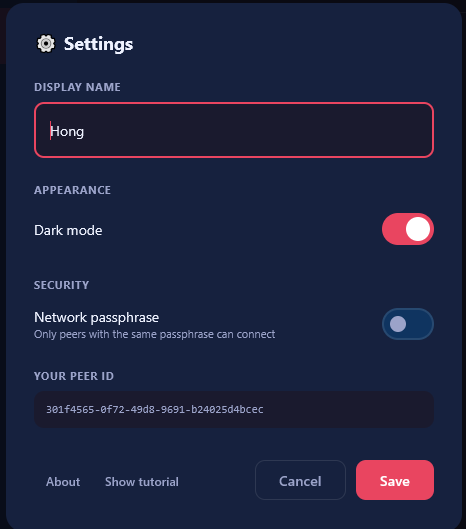
Some features are also not fully tested yet, and the settings page still needs more work.
Stay tuned. I plan to keep iterating until I can actually use this at home. And if it gets polished enough, maybe I will share it more broadly. ;)